Integration Guide
Integration Guide
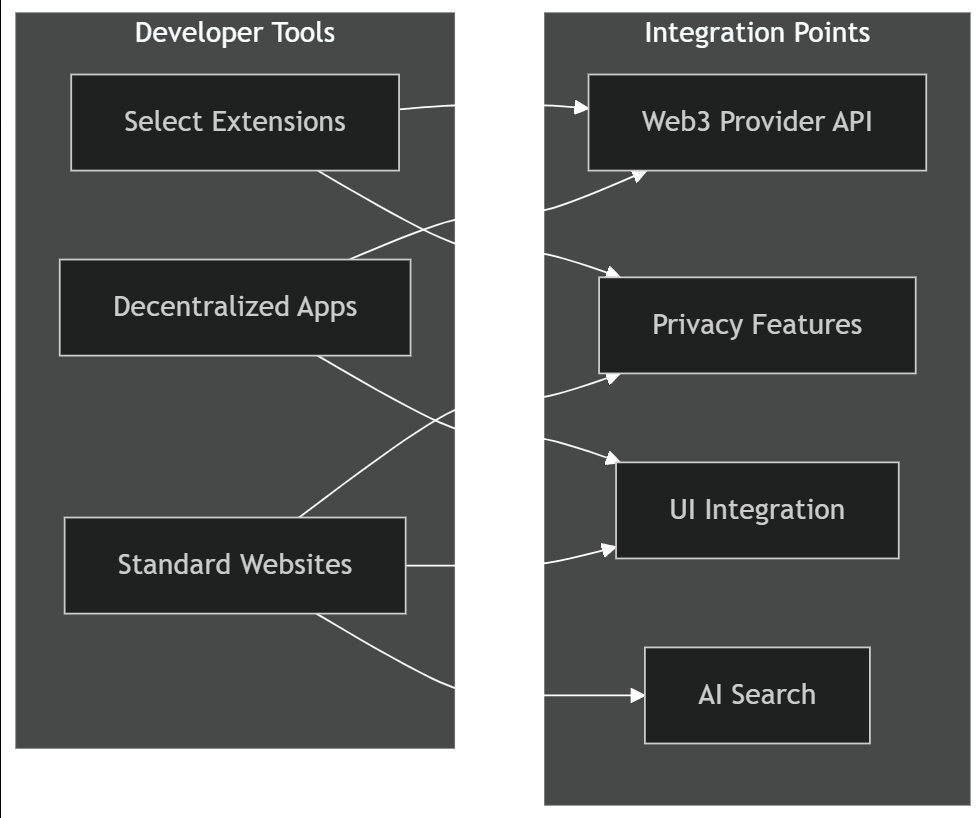
Build dApps and services that integrate with Macro's privacy ecosystem.

Getting Started
Macro supports standard Web3 APIs. Your existing dApp likely works out of the box.
Supported standards:
EIP-1193 (Ethereum Provider)
EIP-1102 (Account access)
EIP-712 (Typed data signing)
WalletConnect protocol
Provider Detection
Check for Macro:
Provider Properties
Requesting Account Access
Standard EIP-1102:
Macro-specific behavior: User sees signing sandbox translation of connection request.
Sending Transactions
Standard transaction:
Macro behavior:
Transaction intercepted by Signing Sandbox
Decoded to plain English
Policy check performed
User shown risk assessment
User approves/rejects
Signing Messages
Personal sign:
Typed data (EIP-712):
Macro enhancement: Typed data displayed in human-readable format.
Privacy-Enhanced Features
Use Macro's privacy APIs for enhanced user experience.
Check Privacy Features
Request Private Transaction
Macro routes through privacy mixer automatically.
Request Private Swap
MEV-protected swap execution.
Full API Reference
Best Practices
Clear Communication
Explain what permissions you're requesting
Use EIP-712 for structured data (better UX in Macro)
Minimize permission scope
Respect User Privacy
Don't request unnecessary wallet connections
Limit data collection
Support Macro's privacy features
Optimize for Signing Sandbox
Use descriptive function names in contracts
Verify contracts on Etherscan (better UX)
Provide clear transaction context
Test with Different Policies
Test when user has strict signing policies
Handle rejection gracefully
Provide clear error messages
Debugging
Check Connection
Listen for Events
Error Handling
Testing
Test on Macro:
Download Macro Browser
Create test Privacy Profile
Connect wallet to testnet
Test your dApp integration
Try different signing policies (Settings → Signing Sandbox)
Performance Optimization Guide
Standard Web3 APIs. Privacy-enhanced features optional.
Last updated